F1 Stopwatch: Start Timer, Reaction Test, or Live Timing?
A practical guide to the four different tools people call an F1 stopwatch, and how to choose the right one for lights-out practice, race watching, or timing notes.

What Does F1 Stopwatch Usually Mean?
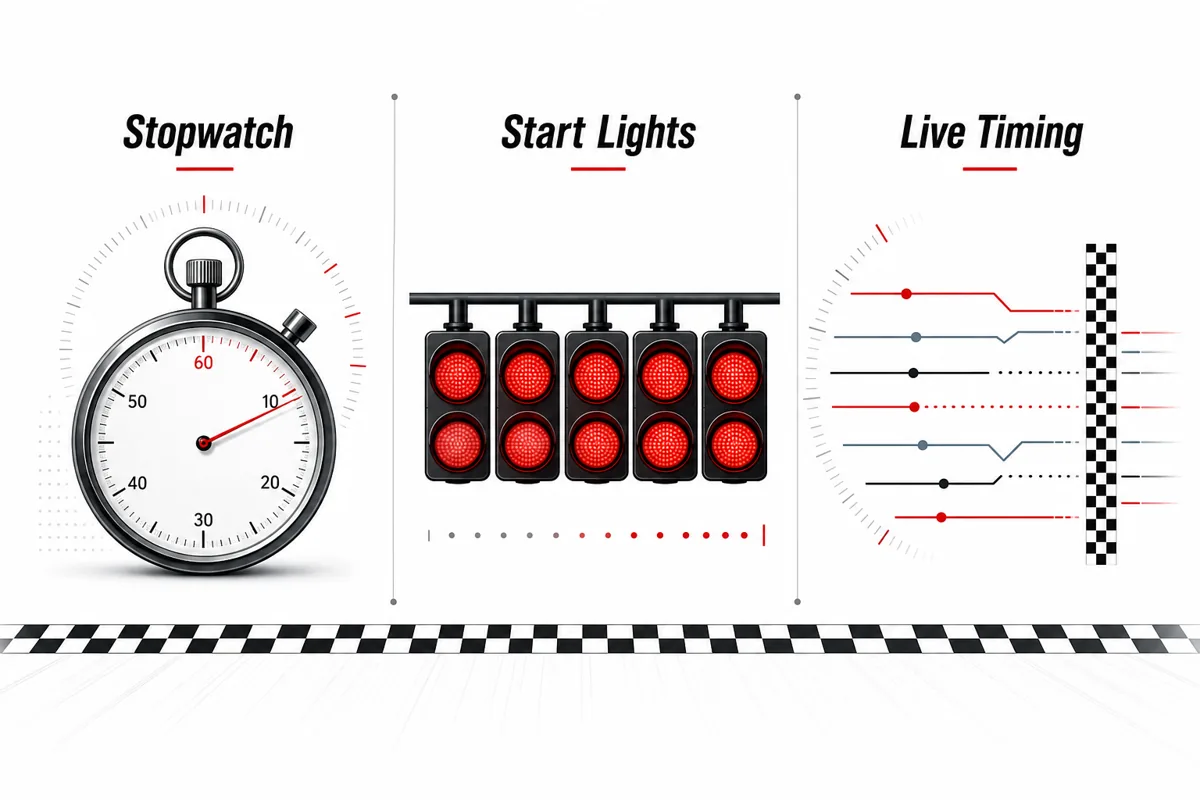
The phrase F1 stopwatch is not as precise as it sounds. Some people mean a simple online stopwatch for timing laps. Others mean a Formula 1 start-light reaction test, a race-session countdown, or official-style live timing with sectors and gaps. Those are four different jobs.
For this site, the useful distinction is simple: a stopwatch is for elapsed time, while an F1 start timer is for reaction to an unpredictable lights-out cue. If your goal is to test a start, do not press start on a stopwatch and then press stop after you react. That adds an extra manual step and removes the most important part of an F1 start: waiting for the lights to go out.
This is also why an F1 stopwatch page should not duplicate the homepage timer. The homepage is the place to practice. This guide is the place to decide whether you need a stopwatch, a start-time test, a race countdown, or live timing.
F1 Stopwatch vs Start Timer vs Live Timing
Use the comparison below before choosing a tool. The best choice depends on whether you are practicing reaction speed, tracking a real race, or simply timing something around a motorsport session.
A normal stopwatch is excellent when you control both start and stop. F1-style start practice is different because the start signal must surprise you. Live timing is different again because it follows car performance, not your finger or hand reaction.
| Tool | Best for | Not ideal for |
|---|---|---|
| Simple stopwatch | Timing an activity you control, such as a training interval or note-taking session. | Measuring lights-out reaction time because you manually trigger the start. |
| F1 start timer | Practicing the five red lights, variable delay, and reaction after lights out. | Tracking real race gaps, sectors, or lap-by-lap timing. |
| F1 start time test | Comparing your repeated launch reactions on the same device. | Claiming official driver-level performance from one browser score. |
| F1 live timing | Following sectors, intervals, lap times, and race control context during an event. | Practicing your own reaction time. |
When You Actually Need an F1 Start Time Test
If the search behind “F1 stopwatch” is really “how fast can I react to lights out?”, the right tool is an F1 Start Timer. It shows the red-light sequence, waits for a variable delay, and scores your click or tap after the lights go out.
That matters because a normal stopwatch does not punish anticipation. You can decide when to start the timer, so the result is not a clean reaction measurement. A start-time test should make you wait, record early starts separately, and encourage you to compare averages rather than one lucky attempt.
A good practice routine is five to ten attempts on the same device. Keep the same mouse, keyboard, or touchscreen, then compare your average. Very fast single attempts can happen, but consistency is more useful than a personal best that may have been a guess.
- Use averages: one attempt is noisy, while five to ten attempts show repeatability.
- Keep the same setup: device latency changes when you switch from desktop to mobile or from mouse to touch.
- Separate early starts: a click before lights out is not a valid reaction score.
Why F1 Live Timing Is a Different Search Intent
Official F1 timing is about the cars and the race session, not your personal reaction. Live timing systems show lap times, sector splits, intervals, gaps, pit information, and race status. A browser reaction timer cannot replace that, and live timing cannot tell you how quickly you reacted to a practice light sequence.
This difference also explains why search results for “F1 stopwatch” can feel mixed. Some pages satisfy motorsport fans who want to follow a race; others satisfy users who want a game-like start-light drill. If you want official race data, use Formula 1 live timing or broadcaster timing graphics. If you want practice, use a lights-out timer.
The safest mental model is to treat live timing as observation and a start timer as participation. Observation helps you understand the event; participation helps you train your own timing.
Best Setup for Fair F1 Stopwatch Practice
Browser timing is useful for practice, but it is not official motorsport timing. Your display refresh rate, input device, browser workload, and power mode can all shift the number by small amounts. The solution is not to chase perfect lab accuracy; it is to keep conditions stable so your own trend is meaningful.
Use the same screen, close heavy tabs, avoid low-power mode when possible, and practice in short blocks. If you are comparing with friends, agree on device type and input method first. A desktop keyboard result and a phone tap result can feel like the same game, but they are not identical timing paths.
For casual practice, record the average, the input method, and whether early starts were discarded. That simple note gives you more signal than saving only your fastest single attempt.
| Setup choice | Why it matters | Fair practice rule |
|---|---|---|
| Desktop mouse or keyboard | Often gives more stable input timing than a casual phone tap. | Compare against the same input method. |
| Mobile touchscreen | Convenient, but touch latency and scrolling behavior can vary. | Use mobile results as their own category. |
| High-refresh display | The visual cue can appear with less frame delay. | Do not mix monitor types in one average. |
| Busy browser | Heavy tabs can affect event handling and focus. | Close noisy tabs before serious attempts. |
Common F1 Stopwatch Mistakes to Avoid
The most common mistake is comparing results from tools that measure different things. A stopwatch result, an F1 start-time test result, and a live-timing sector are not interchangeable numbers. They may all be measured in seconds or milliseconds, but the start condition and the meaning of the result are different.
Another mistake is treating the best score as the only score. In reaction practice, the fastest attempt is often the attempt most likely to include anticipation. A fairer method is to record the average, the number of early starts, and the input method. That gives you a compact practice log without pretending the browser is an official timing loop.
Finally, avoid changing multiple variables at once. If you switch from phone to laptop, from touch to keyboard, and from a tired session to a focused session, you cannot tell which change improved the number. Change one thing, run several attempts, and compare the same kind of result.
- Do not mix tools: stopwatch, start timer, and live timing results answer different questions.
- Do not chase one best run: use averages and early-start counts for a cleaner practice signal.
- Do not change everything: compare one setup variable at a time.
F1 Stopwatch FAQ
Sources and Scope
This guide separates personal browser practice from official race timing. For official start procedures, use the FIA Formula 1 regulations. For race-following context, official Formula 1 timing and session products are different from personal reaction tools.
For browser measurement context, MDN performance.now() explains high-resolution timing in the browser. Use the recommendations here as practical online practice guidance, not official motorsport timing claims.
Last updated: June 10, 2026